

A website can have excellent content and strong backlinks but still struggle in search results because of technical SEO problems. Broken links, indexing issues, duplicate URLs, slow pages, poor website architecture, and incorrect redirects can prevent search engines from properly discovering and understanding a website. This is why businesses should regularly perform a technical SEO audit.
A technical SEO audit evaluates the technical elements of a website that can affect crawling, indexing, search visibility, and user experience. It helps identify problems that may be limiting organic performance and provides a roadmap for fixing them.
Hence, this guide explains how to conduct a technical SEO audit and what to include in your checklist.
What Is a Technical SEO Audit?
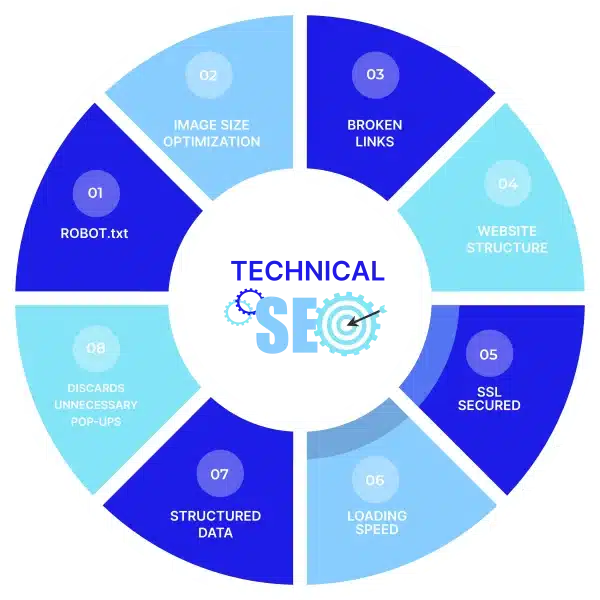
A technical SEO audit is a systematic review of a website’s technical health and search engine accessibility. It focuses on areas such as:
- Crawling
- Indexing
- Website architecture
- Page speed
- Mobile usability
- HTTPS
- URLs
- Redirects
- Canonical tags
- XML sitemaps
- Robots.txt
- Internal links
- Duplicate content
Unlike a content audit, a technical audit focuses on the infrastructure and technical elements that help search engines access and understand your website.
Read More: 10 Best SEO Reporting Tools in 2026
Why Are Technical SEO Audits Important?
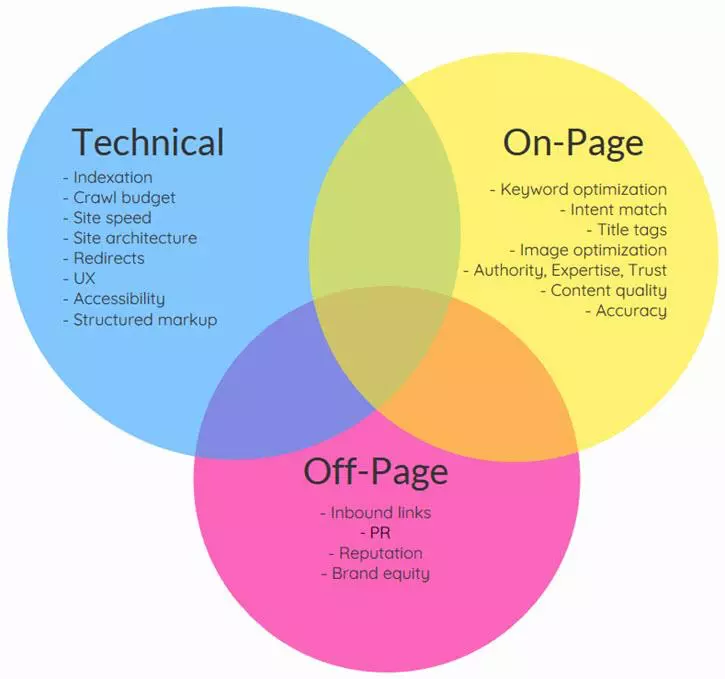
Regular technical SEO audits can help businesses identify problems before they negatively affect organic visibility. An audit can help you:
- Find crawling problems
- Identify indexing errors
- Improve website performance
- Detect broken links
- Find duplicate URLs
- Improve site architecture
- Identify redirect problems
- Improve mobile usability
- Strengthen internal linking
- Create a prioritized SEO action plan
Technical SEO does not guarantee higher rankings, but fixing technical barriers can make it easier for search engines to crawl and understand important pages.
How to Perform a Technical SEO Audit
Crawl the Website
The first step is to crawl your website using an SEO crawler. A crawler can help identify:
- Broken links
- Missing titles
- Duplicate titles
- Missing meta descriptions
- Redirects
- Status codes
- Canonical issues
- Orphaned pages
- Indexability problems
Tools such as Screaming Frog, Sitebulb, and other crawling platforms can provide a detailed overview of the website.
Check Website Indexing
A page needs to be indexed to have the opportunity to appear in organic search results. Use Google Search Console to review indexing information and identify pages that Google has discovered but not indexed. Assess areas such as:
- Excluded pages
- Server errors
- Crawled but currently not indexed pages
- Duplicate pages
- Redirect errors
- Pages blocked from crawling
Not every excluded page is a problem. Some pages should intentionally remain outside the index. The focus should be to determine whether important pages are being correctly indexed.
Review Robots.txt
The robots.txt file provides instructions to search engine crawlers about which areas of a website they can access. Check that important sections of the website are not accidentally blocked.
For example, an incorrectly configured robots.txt file could prevent search engines from crawling important product, service, or category pages.
Check the XML Sitemap
An XML sitemap helps search engines find important URLs. Your sitemap should contain:
- Canonical URLs
- Indexable pages
- Relevant and current URLs
- Correct URL versions
It’s important to remove unnecessary URLs such as redirected, duplicate, or non-indexable pages where appropriate. After reviewing the sitemap, submit or monitor it through Google Search Console.
Analyze URL Structure
A clean URL structure makes websites easier to understand and navigate for users. Good URLs should generally be:
- Descriptive
- Concise
- Readable
- Consistent
- Relevant to the page
For example, this is how good and less useful URLs look like:
Good: example.com/seo-audit
Less useful: example.com/page?id=12345&category=seo
Check Canonical Tags
Canonical tags help indicate the preferred version of a page when multiple URLs contain similar or duplicate content. Review whether important pages have appropriate canonical URLs. Common problems include:
- Canonical tags pointing to irrelevant pages
- Canonical URLs that return errors
- Self-canonicalization missing where useful
- Conflicting canonical signals
- Canonicals pointing to redirected URLs
Find Broken Links
Broken internal links can create a poor user experience and make website navigation less efficient. During your technical site audit, identify links leading to:
- 404 pages
- Deleted pages
- Incorrect URLs
- Redirect chains
- Server errors
Update or remove unnecessary broken links and ensure important pages remain accessible.
Review Redirects
Redirects are useful when URLs change, but poorly implemented redirects can create technical problems. So, always check for:
- Redirect chains
- Redirect loops
- Incorrect redirects
- Temporary redirects used unnecessarily
- Links pointing through multiple redirects
Where suitable, redirect an old URL directly to the most relevant current URL.
Test Website Speed and Core Web Vitals
Website performance affects user experience and is an important part of technical SEO. Review metrics such as:
- Largest Contentful Paint
- Interaction to Next Paint
- Cumulative Layout Shift
Also assess issues such as:
- Large images
- Excessive JavaScript
- Render-blocking resources
- Slow server response
- Unnecessary third-party scripts
Improving performance can make the website faster and easier to use.
Check Mobile Usability
Most modern websites receive significant traffic from mobile devices. Your website technical audit checklist should therefore include mobile usability. Check whether:
- Content fits mobile screens
- Buttons are easy to use
- Navigation works properly
- Text is readable
- Images display correctly
- Forms function correctly
- Important content is accessible
Review Internal Linking
Internal links help users and search engines discover related content. During an audit, identify:
- Orphan pages
- Pages with very few internal links
- Excessive internal links
- Broken internal links
- Important pages that are difficult to reach
Create logical connections between related pages. For example, a blog about technical SEO can link to a technical SEO service page, while relevant service pages can link back to supporting educational content.
Check HTTPS and Security
It’s important to ensure the website uses HTTPS correctly. So, check for:
- Valid SSL certificates
- HTTPS versions of important pages
- HTTP-to-HTTPS redirects
- Mixed content
- Incorrect canonical URLs
Identify Duplicate Content
Duplicate or highly similar pages can make it difficult for search engines to determine which version should appear in search results. Look for:
- Duplicate page titles
- Duplicate meta descriptions
- Similar product pages
- URL parameters
- Multiple versions of the same page
- Printer-friendly URLs
How to Create an SEO Audit Report
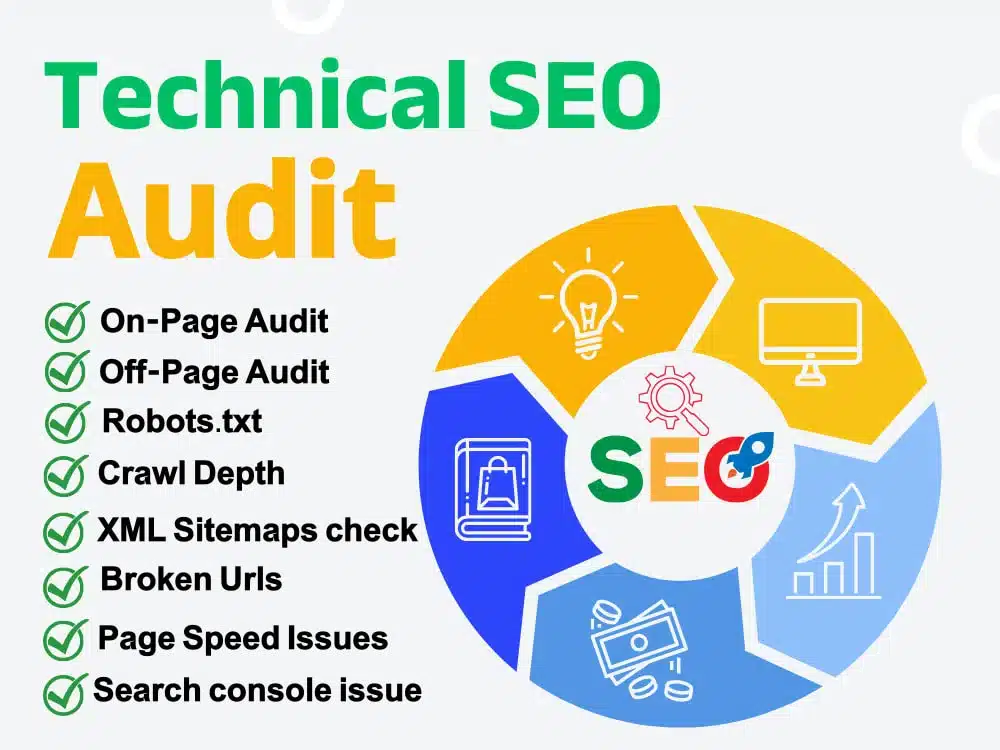
After completing the audit, organize your findings into an SEO audit report. A useful report should include:
Issue: Clearly describe the technical problem.
Impact: Explain how the issue could affect crawling, indexing, visibility, or user experience.
Priority: Classify issues as high, medium, or low priority.
Recommendation: Explain what should be changed.
Status: Track whether the issue has been fixed.
Using a Technical SEO Audit Tool
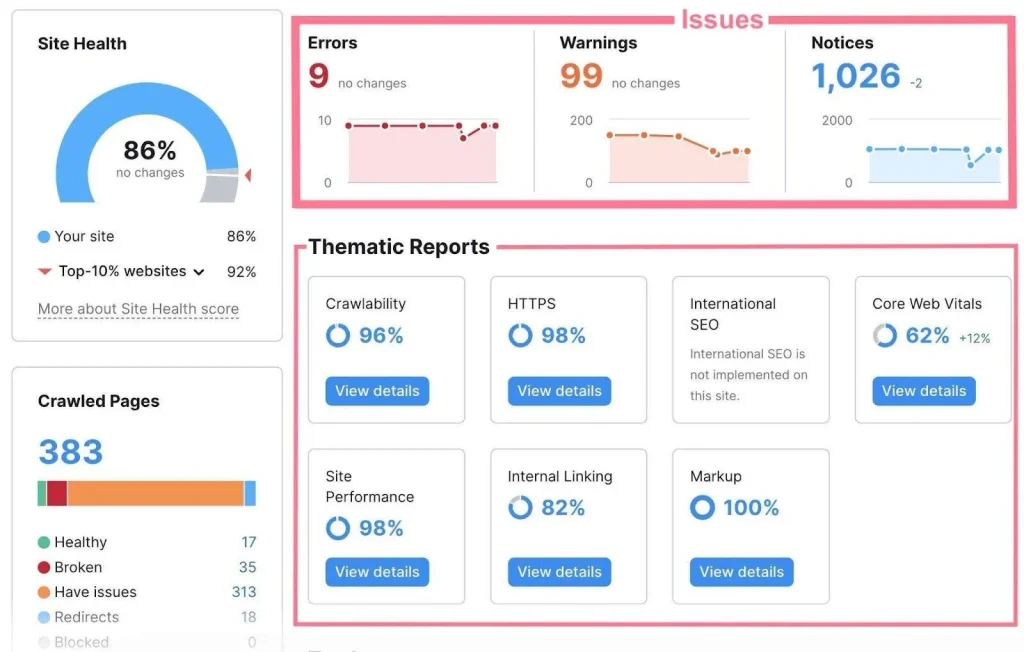
A technical SEO audit tool can automate much of the data collection process. Some of the useful tools include:
- Google Search Console
- Google PageSpeed Insights
- Screaming Frog
- Sitebulb
- Semrush
- Ahrefs
Different tools provide different types of information. For example, crawlers are useful for analyzing site structure and technical elements, while Google Search Console provides valuable information about Google’s crawling, indexing, and search performance.
When to Use a Professional Technical SEO Site Audit
Small websites can often handle basic technical checks internally. Larger or more complex websites may benefit from a professional technical SEO site audit. Professional support can be useful for:
- Large ecommerce websites
- International websites
- Website migrations
- Redesigns
- Websites with declining organic traffic
- Large content platforms
- Complex JavaScript websites
How Often Should You Conduct a Site Audit?
There is no universal schedule for every website. A smaller website may conduct a detailed audit periodically and monitor critical issues continuously. Larger websites should monitor technical health more frequently because new pages, updates, redirects, and development changes can introduce problems. You should also conduct site audit checks after major events such as:
- Website migrations
- Redesigns
- Domain changes
- Major CMS updates
- Large-scale URL changes
- Significant traffic drops
Final Thoughts
To perform a technical SEO audit effectively, you need to examine how search engines crawl, access, understand, and index your website.
Start by crawling the site and checking indexing. Then review robots.txt, XML sitemaps, URLs, canonical tags, redirects, broken links, website speed, mobile usability, internal linking, HTTPS, and duplicate content.
The goal of an audit is not to collect as many errors as possible. It is to identify the technical issues that matter most and create a clear plan for resolving them.
Regular technical SEO audits can help maintain website health, protect organic visibility, and provide a stronger foundation for content and SEO growth.
Frequently Asked Questions
1. How often should I perform a technical SEO audit?
The frequency depends on the website. Larger or frequently updated websites should monitor technical issues more often, while smaller websites can conduct detailed audits periodically.
2. What is the best technical SEO audit tool?
Tools such as Screaming Frog, Google Search Console, Semrush, Ahrefs, and Sitebulb can help identify different technical SEO issues.
3. What should a technical SEO audit include?
It should generally cover crawling, indexing, robots.txt, sitemaps, URLs, canonical tags, redirects, links, page speed, mobile usability, HTTPS, internal linking, and duplicate content.
4. Can a technical SEO audit improve rankings?
Yes. Fixing technical issues can help search engines crawl and understand your website more effectively, which may support better organic rankings.