
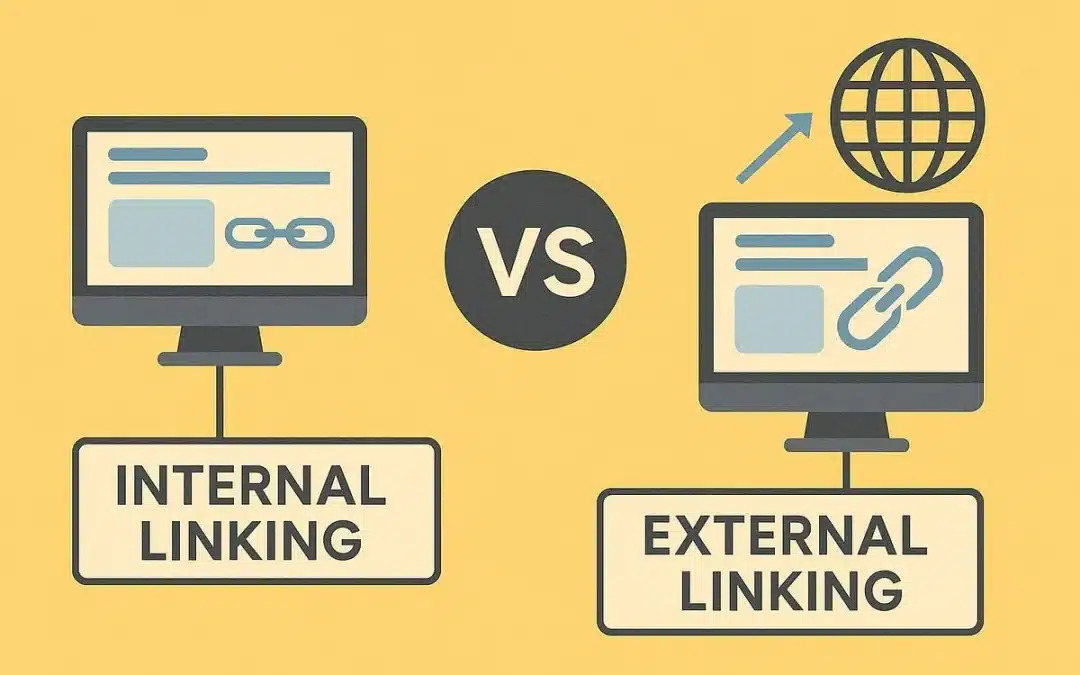
Links help search engines discover content and help users move between relevant pages. They also provide context about how different pieces of information are connected. Two important types are internal links and external links. Understanding internal vs external links is important for building a strong website structure and a practical SEO strategy.
Internal links connect pages within the same website. External links point users from one website to another. Both have different purposes, but both can contribute to a better website experience when used correctly.
To know more about internal vs external links, keep on reading below.
What Are Internal and External Links in SEO?
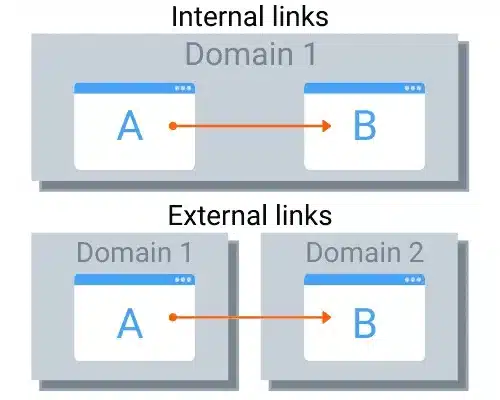
In simple terms, internal and external links differ based on where the destination page is located. An internal link connects one page of a website to another page on the same domain. For example:
Website.com/blog/seo to Website.com/services/seo. An external link connects a page to a different website.
For example:
Website.com/blog/seo to AnotherWebsite.com/seo-guide. This basic distinction explains much of the difference between the two.
What Are Internal Links?
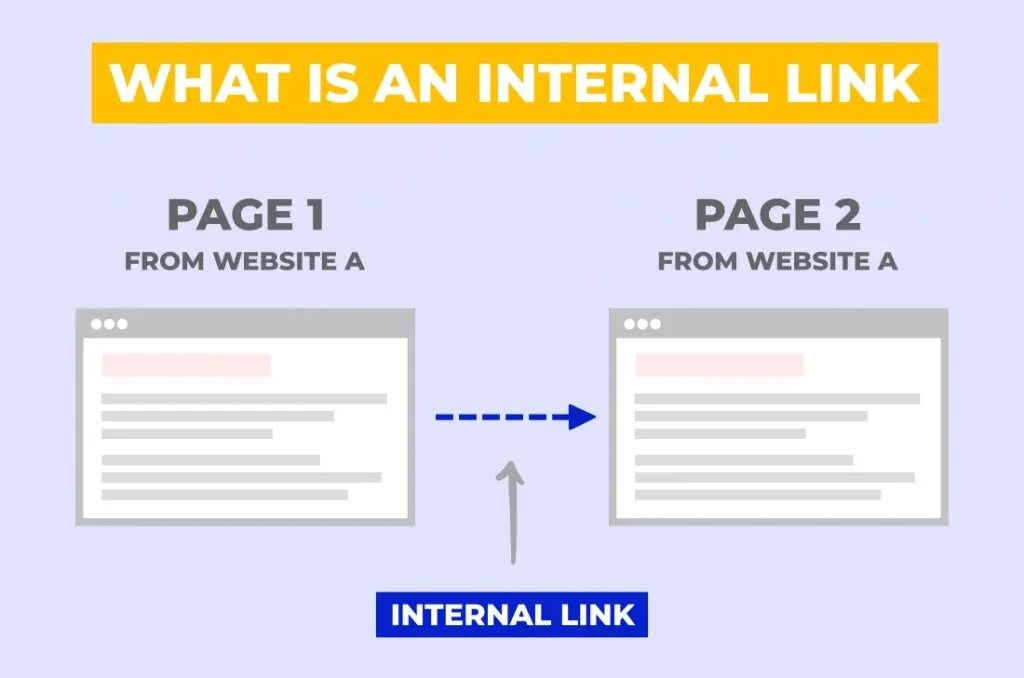
Internal links are hyperlinks that connect pages within the same website.
For example, a blog post about technical SEO might link to another article about website audits. Both pages belong to the same domain, making the link internal. Internal links can connect:
- Blog posts
- Service pages
- Product pages
- Category pages
- Landing pages
- Resource pages
- Homepage
- Other important website content
Related Article: Internal Linking for SEO: A Comprehensive Guide
Why Are Internal Links Important?
Internal links help users navigate a website and help search engines understand its structure. A well-planned internal linking system can:
- Help users discover related content
- Connect relevant pages
- Distribute internal authority across pages
- Help search engines discover URLs
- Establish topic relationships
- Support important commercial pages
- Reduce the number of isolated pages
This makes internal link building an important part of on-page SEO.
What Is External Linking?
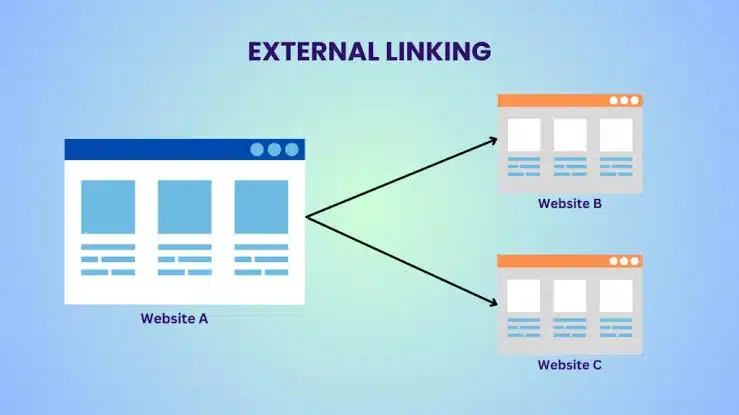
External linking means adding a link from your website to another website. For example, an article discussing search engine guidelines might link to an official search engine documentation page as a supporting source. External links can be used to:
- Support factual claims
- Reference original research
- Cite authoritative sources
- Provide additional resources
- Give users more information
- Improve the usefulness of content
The purpose should be to help the reader, rather than adding links simply for SEO purposes.
Internal vs External Links: Key Differences
| Factor | Internal Links | External Links |
| Destination | Same website | Different website |
| Main purpose | Navigation and site structure | References and external resources |
| SEO role | Helps connect and organize website content | Provides context and useful references |
| Authority flow | Within the same domain | Points authority/context outside the domain |
| User benefit | Helps users explore your website | Provides additional information |
| Example | Blog – Service page | Blog – Industry research |
Internal Links vs External Links: Which Is More Important?
Internal links are essential for organizing your website and connecting related pages. External links are useful when they provide valuable context or direct users to trustworthy information.
A strong SEO strategy generally uses both. For example, an article about accounting software could use internal links to related accounting guides and product pages. It could also use SEO external links to authoritative accounting standards or government resources when relevant.
The goal is not to choose one over the other. The goal is to use each type for its intended purpose.
Backlinks vs External Links: What Is the Difference?
This is one of the most common SEO questions. An external link is a link from your website to another website. A backlink is a link from another website to your website. For example:
Your website to Other website = External link
Other website to Your website = Backlink
Therefore, all backlinks are external links from the perspective of the receiving website, but the terms describe the relationship from different perspectives.
What Are External Backlinks?
External backlinks are links pointing to your website from another domain. For example:
AnotherWebsite.com to YourWebsite.com
These links are commonly called backlinks or inbound links. Backlinks can contribute to authority, discovery, referral traffic, and organic visibility when they come from relevant and trustworthy sources.
Benefits of Internal Linking
- Better Website Navigation
- Stronger Site Architecture
- Help With Page Discovery
- Support Important Pages
Benefits of External Linking
- Supporting Evidence
- Improving Content Depth
- Building Trust
- Better User Experience
External Linking Best Practices
Follow these external linking best practices when adding outbound links.
- Link to Relevant Sources
- Prefer Trustworthy Websites
- Use Natural Anchor Text
- Avoid Adding Links Just for SEO
- Check Links Regularly
How to Create a Strong Internal Linking Strategy
Identify Priority Pages
Determine which pages matter most to the business. These could include:
- Core service pages
- Product pages
- High-value landing pages
- Key educational resources
- Conversion-focused pages
Group Related Content
Create topic clusters where several related pages connect to a central page. For example:
- SEO Keyword Strategy
- Technical SEO
- On-Page SEO
- Internal Linking
- SEO Reporting
Use Descriptive Anchor Text
Anchor text should help users understand what they are clicking. Instead of, “Click here”, use “learn more about technical SEO audits”, when that accurately describes the destination.
Link From Relevant Existing Pages
When publishing a new page, review older related content and identify opportunities to add internal links.
Avoid Overlinking
Adding dozens of unnecessary internal links can make content difficult to read. Only link when the destination adds genuine value.
Common Linking Mistakes to Avoid
Whether working with internal or external links, several mistakes can weaken the user experience, so avoid:
- Using irrelevant links
- Adding excessive links
- Using vague anchor text everywhere
- Linking to broken pages
- Creating unnatural keyword-heavy anchors
- Adding external links solely for SEO
- Ignoring important internal pages
- Leaving valuable pages disconnected
- Linking to low-quality or untrustworthy external sources
A Simple Internal and External Linking Strategy
A balanced approach can look like this: For every important page:
- Add relevant internal links to related pages.
- Link to the page from other relevant parts of your website.
- Use descriptive and natural anchor text.
- Add external links when authoritative references improve the content.
- Check both internal and external links for accuracy.
- Remove or replace broken and irrelevant links.
- Review your linking structure regularly.
This approach keeps links useful for both users and search engines.
Final Thoughts
Understanding Internal vs External Links is important in building an SEO-friendly website. Internal links connect pages within your website and help with navigation, content relationships, page discovery, and site architecture.
External links connect your website with useful resources on other domains and can strengthen the context and credibility of your content. Neither of them should be used simply to increase the number of links on a page.
The best approach includes using internal links to build a logical website structure and external links to provide useful, trustworthy references.
FAQs
1. Can internal links improve SEO without backlinks?
Yes. Strong internal linking can improve crawlability, page relationships, and navigation, even though it does not replace the value of earning external backlinks.
2. Do external links reduce a website’s SEO value?
No. Relevant external links do not automatically weaken SEO; linking to trustworthy sources can make content more useful and credible.
3. Should every page have both internal and external links?
No. Use links based on the page’s purpose and content. Some pages may naturally need internal links but no external references.
4. Can changing internal links affect SEO?
Yes. Updating internal links can influence how search engines discover and understand pages, so changes should be relevant and carefully planned.