

As a SEO expert we know that linking pages with each other can build authority of a website. Internal Linking for SEO is one of the simplest ways to improve how search engines and users navigate a website. By connecting relevant pages within the same website, internal links help search engines find content, understand page relationships, and distribute authority across important URLs.
A good internal linking strategy can also improve navigation and help visitors find related content. However, adding links randomly is not enough. The links should be relevant, useful, and placed within a clear website structure.
Therefore, this guide explains how internal linking works, why it matters, and how to build internal links for SEO effectively.
What Are Internal Links?
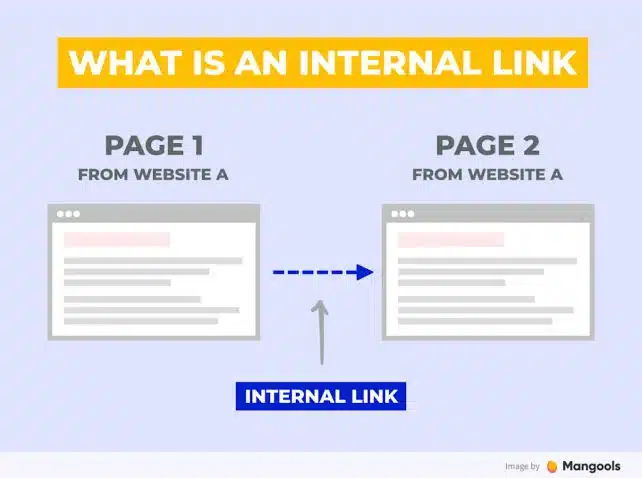
Internal links are links that connect one page on a website to another page on the same website.
For example, a blog about technical SEO might link to another article about website audits. Both pages belong to the same domain, making the connection an internal link. Internal links can connect:
- Blog posts
- Service pages
- Product pages
- Category pages
- Landing pages
- Resource pages
- Homepage sections
Unlike external links, internal links do not send users to another website. You can check the best example of Johnny’s Digital home page for internal linking.
Why Is Internal Linking Important for SEO?
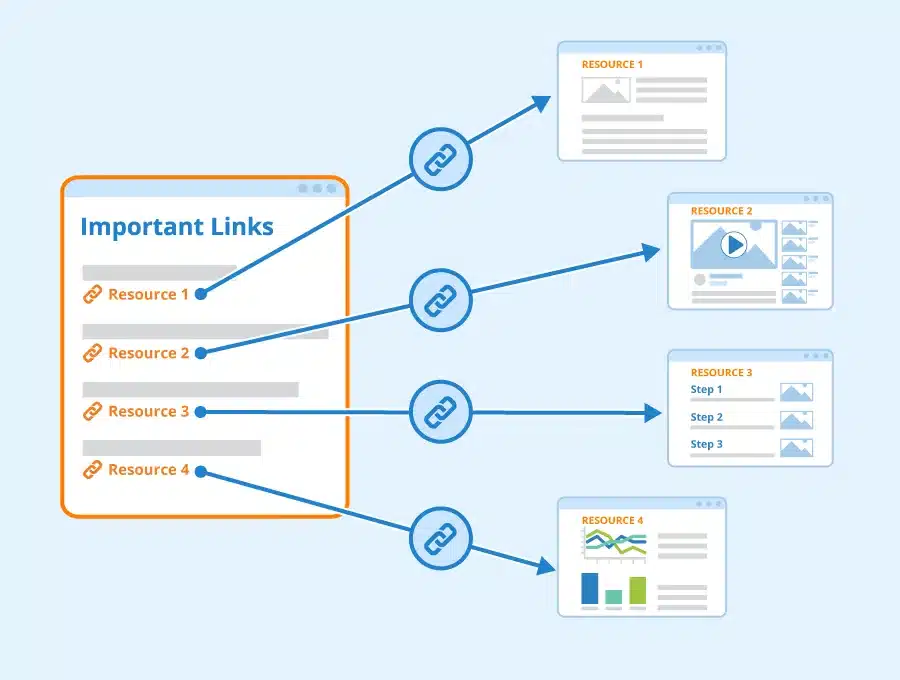
Internal links help both search engines and website visitors understand how content is connected.
When search engine crawlers follow internal links, they can find pages that may otherwise be difficult to find. Internal links can also provide signals about the relationship between pages in terms of context. A strong internal linking structure can help with:
- Content discovery
- Website navigation
- Page relationships
- Distribution of internal authority
- User experience
- Crawlability
- Topical organization
Internal linking is therefore an important part of on-page and technical SEO.
Related Article: 5 Best SEO Case Studies in 2026
Do Internal Links Help SEO?
Do internal links help SEO? The answer is yes. They can support SEO by helping search engines discover pages, understand website structure, and determine how different pieces of content relate to one another.
However, internal links are not a shortcut to higher rankings. A page with hundreds of internal links will not automatically outperform a page with fewer, more relevant links. The quality, context, placement, and overall structure matter.
Internal linking works best when it supports a logical information architecture.
Best Practices of Internal Linking
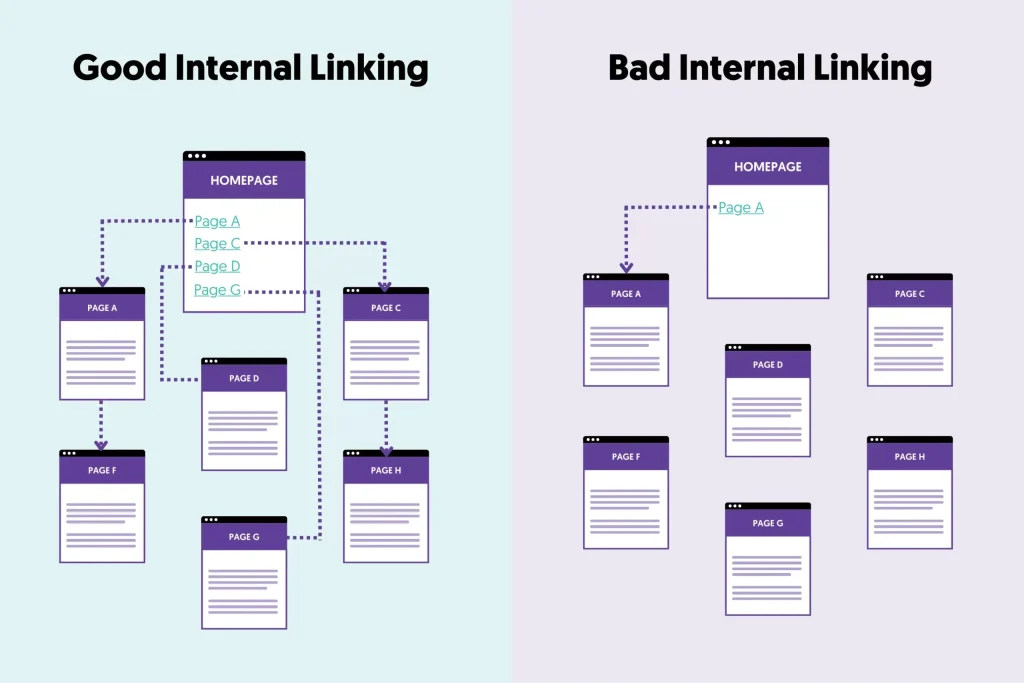
Following internal linking best practices can help create a website that is easier to crawl and navigate.
1. Link Relevant Pages Together
Relevance should be the foundation of internal linking. If a blog explains ecommerce SEO, it could naturally link to related pages about:
- Ecommerce keyword research
- Product page optimization
- Technical SEO for ecommerce
- Ecommerce SEO audits
2. Use Descriptive Anchor Text
Anchor text is the clickable text used for a link. For example a weak anchor text is “click here to learn more”, whereas a better example says “learn more about ecommerce keyword research”.
Descriptive anchor text gives users a clearer idea of what they will find after clicking. It can also provide search engines with contextual information about the linked page.
3. Link From High-Value Pages
Some pages naturally attract more backlinks, traffic, or authority than others. These pages can be useful sources for internal links to important URLs. For example, a popular evergreen guide could link to relevant service pages or deeper supporting articles.
4. Link to Important Pages
Do not focus only on linking blog posts together. Important commercial and conversion-focused pages should also receive relevant internal links. Depending on the website, these may include:
- Service pages
- Product pages
- Category pages
- Key landing pages
- High-priority resources
5. Avoid Excessive Internal Links
There is no universal number of internal links that every page should have. Adding too many links can make a page difficult to read and can reduce the usefulness of each individual link. Prioritize links that genuinely help users navigate the topic.
How to Build Internal Links for SEO
If you are wondering how to build internal links for SEO, follow the given steps below:
Step 1: Create a List of Important URLs
Identify the pages that matter most to your SEO and business goals. For example:
- Main service pages
- Product categories
- Core landing pages
- High-value blog posts
- Pillar content
These pages should have strong connections to relevant supporting content.
Step 2: Group Related Content
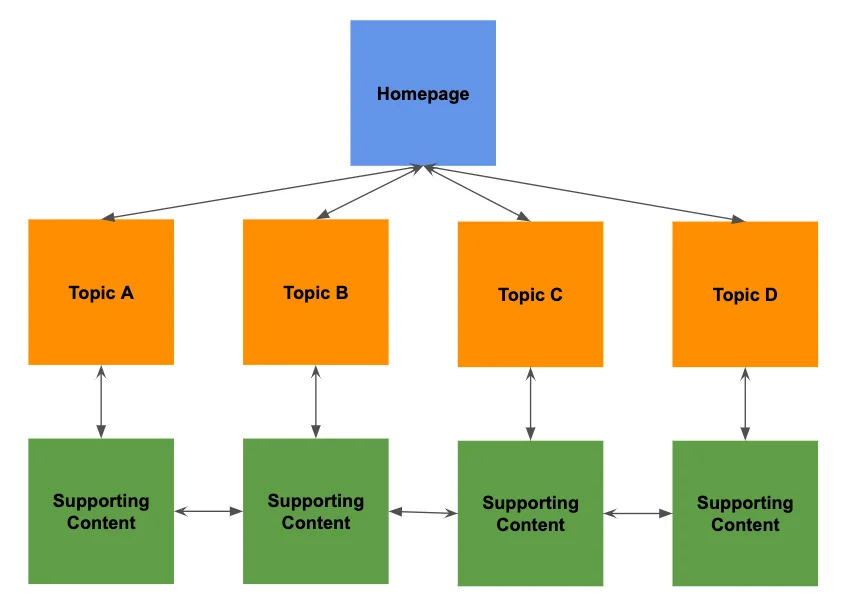
Organize your pages into topical groups. For example if the pillar is SEO strategy, its supporting content should include:
- Keyword Strategy
- Technical SEO
- On-Page SEO
- Content Strategy
- Local SEO
The pillar page can link to the supporting pages, while supporting articles can link back to the pillar when relevant.
Step 3: Identify Linking Opportunities
Read through existing content and identify places where another page would provide useful additional information. For example, “Technical SEO is important for website performance.”. If you have a dedicated technical SEO guide, this sentence could link to it.
Step 4: Add Contextual Links
Place links where they naturally fit into the content. Avoid adding links simply because a target keyword appears in a paragraph. The reader should understand why the link is useful.
Step 5: Review the Structure
After adding links, check whether important pages are easily accessible and whether related content is properly connected. This is where an internal link analysis becomes useful.
What Is Internal Link Architecture?
Internal link architecture describes how internal links are organized across a website. A well-designed architecture creates logical relationships between pages. For example:
- Homepage
- Category
- Subcategory
- Product
For a content website, it could look like:
- Pillar Page
- Supporting Article
- Detailed Subtopic
Internal Linking and Topic Clusters
Internal linking is particularly useful for topic clusters. A topic cluster usually contains:
- One broad pillar page
- Multiple related supporting pages
- Internal links connecting the pages
Internal Anchors: What Should You Use?
Internal anchors are the clickable words or phrases used in internal links. The best anchor text should clearly describe the destination page. For example, instead of writing “read this article”, use “learn more about internal architecture”.
However, avoid using the exact same anchor text for every link to a page. Use natural variations when appropriate while keeping the meaning clear.
How to Find Internal Links in a Website
If you want to know how to find internal links in a website, SEO crawling tools can make the process much easier. Tools such as Screaming Frog can crawl a website and provide information about internal links. You can use a crawl to identify:
- Pages with few internal links
- Pages receiving many internal links
- Broken internal links
- Redirected internal links
- Orphan pages
- Anchor text
- Link depth
- Internal link destinations
Google Search Console can also provide useful information about internal links to pages on your site.
What Are Orphan Pages?
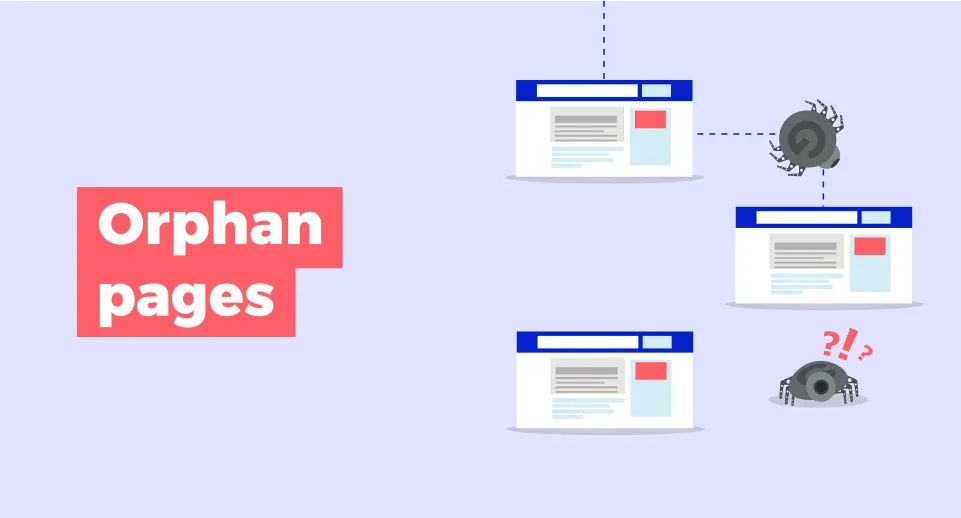
An orphan page is a page that has no internal links pointing to it from other pages on the website. These pages can be difficult for users and search engines to discover through normal website navigation.
During an internal linking audit, identify important orphan pages and determine whether they should be connected to relevant sections of the website. Not every orphan page necessarily needs to be indexed or linked. Some may be intentionally isolated, such as temporary pages or specific utility URLs.
A Simple SEO Internal Linking Strategy
A practical SEO internal linking strategy can follow this framework:
- Identify priority pages
- Build topic clusters
- Connect related pages
- Strengthen priority URLs
- Audit regularly
- Update continuously
Final Thoughts
Internal Linking for SEO is a simple but major part of a well-structured website. It helps search engines find content, understand relationships between pages, and navigate your website. It also gives users clearer paths to relevant information.
The best internal linking strategy is based on relevance rather than quantity. Use descriptive anchors, connect related pages, strengthen important URLs, fix orphan pages, and regularly analyze your internal link structure.
FAQs
1. Can internal links improve website navigation?
Yes. Relevant internal links create clear paths between related pages, helping visitors find useful information faster and move through the website more easily.
2. Should every new blog post have internal links?
In an ideal situation, Yes. New posts should connect to relevant existing pages and, where appropriate, receive links from older related content.
3. Can internal links help new pages get discovered?
Yes. When an indexed page links to a new page, search engine crawlers can follow that connection and discover the new URL easily.
4. Are internal links useful for multilingual websites?
Yes. Proper internal linking can connect related language versions and help users and search engines navigate the appropriate localized content.